Login to My ESCC and click on VCCS SIS: Student Information System.
| Instruction | Screenshot |
|---|---|
| Click the Student Center link. | 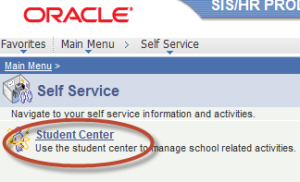 |
| Click the Enroll link. | 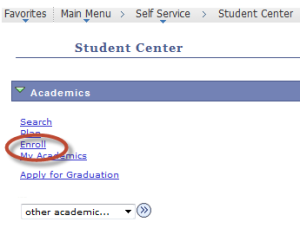 |
| Select the Term you wish to enroll and click the Continue button. | 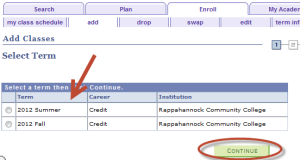 |
| Enter the 5-digit Class Nbr (ex. 34011) and click the Enter button. To search for a class number click the Class Search radio button and then click the search button and enter the required information.Click the NEXT button. | 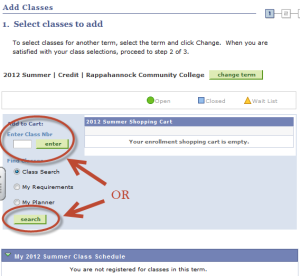 |
| Click the NEXT button. | 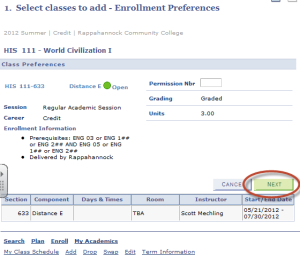 |
| After entering all class numbers, click the Proceed to Step 2 of 3 button. | 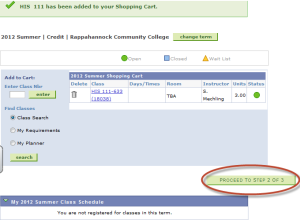 |
| Confirm your class(es) and click the Finish Enrolling button. | 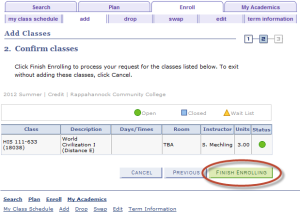 |
| If your registration is unsuccessful, you will see an “X” in the status column on the View Results page. | 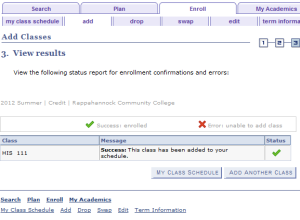 |
| To view and print your class schedule click the My Class Schedule button. | 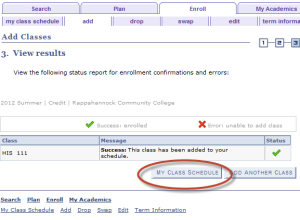 |